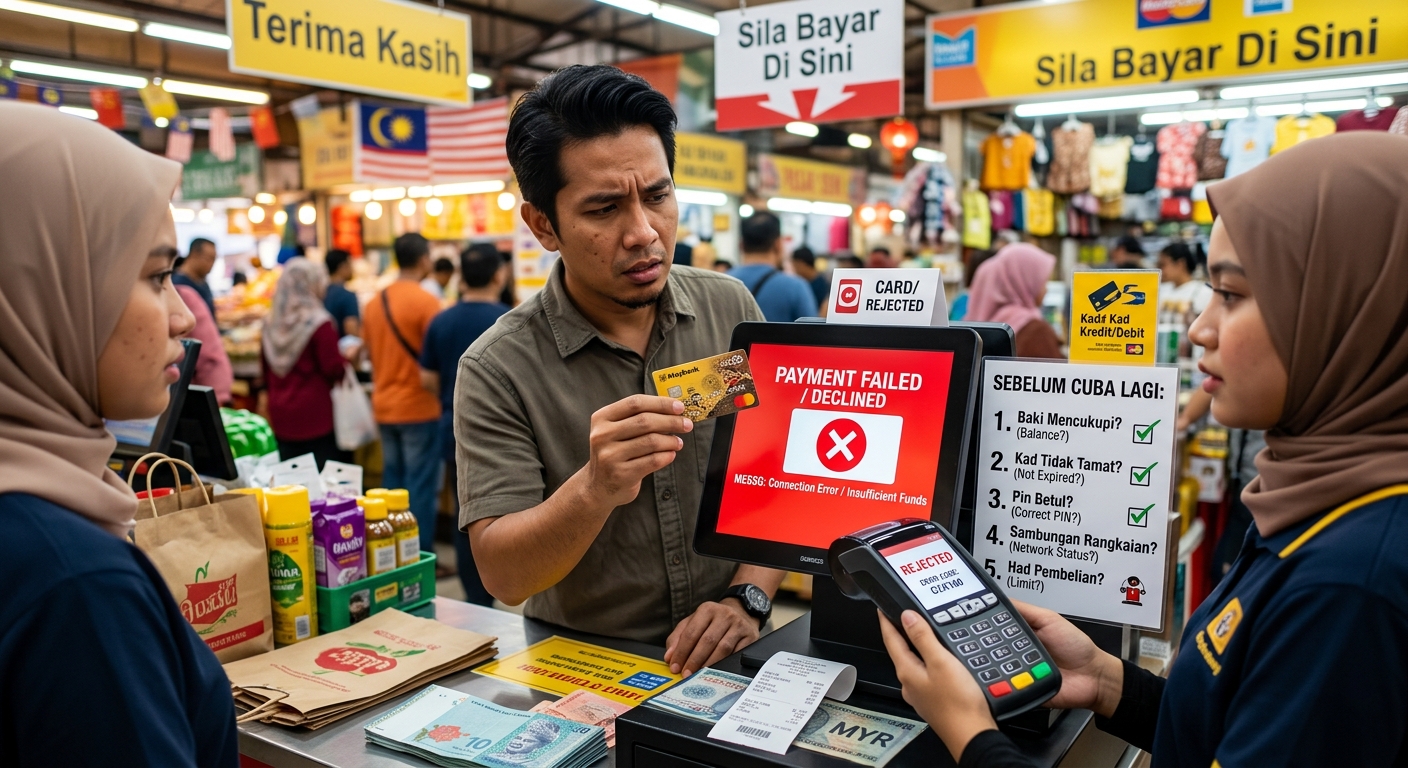
Your groceries are packed. The terminal beeps. Then the cashier says your card has been declined. It feels awkward, especially when your banking app shows money in your account. Yet a failed payment does not automatically mean you are short of funds. A PIN mistake, card setting, temporary hold or terminal connection can interrupt the purchase. The safest next step is to check what happened before presenting your card again.
Before Your Next Attempt
- Read the terminal message before deciding what to check.
- Confirm your PIN, card settings and available spending balance.
- Stop if the payment status is unclear or your PIN may be blocked.
Read the Message Before Trying Again
Ask the cashier what the terminal actually displayed. “Incorrect PIN”, “card not supported” and “connection error” point towards different problems. A general “declined” message gives less detail. It does not prove that you entered the wrong PIN or that your account is empty.
Keep the receipt if the terminal prints one. Note the purchase amount, merchant name and approximate time. These details help your card issuer locate the attempt if you need support later.
Before another attempt, ask whether the terminal recorded the payment as approved, declined or incomplete. Check your banking app for a matching transaction too. An app notification alone may not tell you whether the merchant completed the sale. If the terminal and app disagree, pause and ask the cashier to check the transaction record.
Check Your PIN Without Guessing
Malaysia’s PIN & Pay system uses a six-digit PIN for locally issued payment cards. This is not necessarily the same number you use to open your banking app. An online banking password or one-time passcode is not a replacement for your card PIN.
If the terminal reports an incorrect PIN, stop and think before entering another number. You might be using an old PIN after a reset, confusing two cards or entering a number associated with another service. Repeated incorrect entries can block PIN use. The attempt limit and recovery process depend on your issuer and card.
If you cannot confidently recall the PIN, use your bank’s official reset process. That may involve its app, an ATM or customer support. Do not assume every bank follows the same steps, or that waiting overnight will clear a block.
Cover the keypad when entering your PIN. Keep the card within sight. A cashier can explain the terminal prompts, but should not need you to say your PIN aloud or write it down.
Foreign Cards Need Their Issuer’s Instructions
If you are visiting Malaysia, use the PIN assigned to your foreign card. Do not add zeros or change its length simply because Malaysian cards use six digits. Your issuer can explain whether your card supports PIN purchases abroad and how to obtain or reset its PIN.
A terminal may not support the verification method your card needs. Ask whether the merchant has another compatible terminal. If that does not help, use another payment method and contact your issuer. Guessing a different PIN will not fix a compatibility problem.
Look for Card Restrictions and Activation Issues
Open your official banking app and check whether the card is active. A newly issued or replacement card may require activation before purchases work. Check the expiry date too. If you have received a replacement, confirm which card your issuer expects you to use.
Review any card controls available in the app. A temporary freeze, purchase restriction or spending limit could explain the decline. Debit cards may have a retail purchase limit separate from the ATM withdrawal limit. Having enough money does not override a lower purchase limit.
Foreign visitors should check whether international purchases are permitted. Malaysian cardholders shopping on an overseas website may also need to review overseas or online transaction settings, depending on their issuer. A website charging in ringgit does not necessarily mean the transaction is processed domestically.
Change only a setting you understand and need for the purchase. If the app reports a security block, follow the issuer’s instructions. Repeated attempts at different shops are unlikely to resolve a restriction that requires bank review.
Check Available Funds Rather Than the Headline Balance
The balance shown most prominently in an app may not be the amount available to spend. For a debit card, look for the available balance. Pending transactions and reserved amounts can reduce it even before a payment appears as fully completed.
For a credit card, check available credit. A recent repayment may still be processing. Pending purchases can also use part of your limit. Your total credit limit is not the same as the amount left for today’s purchase.
Hotels, car hire businesses and some petrol payment terminals may request a temporary authorisation hold. This reserves money or credit and can be larger than the eventual charge. Ask about the hold amount before paying if your available balance is tight.
A foreign currency purchase may also need room for currency conversion and applicable issuer fees. Avoid relying on a balance that only just matches your own conversion estimate. If funds are insufficient, confirm that a transfer or repayment has become available before attempting the purchase again.
The Merchant’s Payment Setup Can Affect Acceptance
A decline can involve the merchant’s payment arrangements too. The terminal, the company processing the payment and the merchant’s bank all play a part in passing the purchase request towards your issuer. Background information on card payments explains how these connections support merchant acceptance. A problem along that route can interrupt a purchase even when the cardholder has funds available.
Ask whether the shop accepts your card network and card type. A business accepting one network may not accept another. Support for foreign-issued cards may also differ between payment arrangements.
If several customers are having trouble, the merchant may be dealing with a connection or processing issue. Staff can check their equipment or contact their payment provider. You cannot repair that setup by changing your PIN.
If your card works elsewhere but repeatedly fails at one shop, tell your issuer that detail. It helps narrow the investigation. It still does not establish the cause by itself, because security checks can vary between purchases.
Separate Contactless Trouble From a Card Decline
A failed tap does not always mean the card has been rejected. The reader may not have detected it properly. Remove the card from your wallet and present it on its own. Other contactless cards nearby can interfere with the reader selecting the intended card.
If the terminal asks you to insert the card, follow that prompt. Contactless payments can sometimes require a chip transaction and PIN verification. Do not assume every purchase below a particular amount will always work without a PIN.
When inserting the card, leave it in place until the terminal tells you to remove it. Taking it out early can interrupt the process. If the reader cannot read the chip, ask the cashier whether another terminal is available.
A phone wallet and a physical card can behave differently. A successful phone payment does not prove that the physical card’s chip or PIN is working. Tell your issuer which method failed when asking for help.
Match the Symptom to the Next Check
| What You See | What to Check | When to Pause |
|---|---|---|
| Incorrect PIN | Whether you know the current PIN for this card | Before guessing another number |
| Tap fails or insertion is requested | The terminal prompt and chip payment option | If chip payment also fails |
| Insufficient funds | Available balance, available credit and pending holds | Until enough spending capacity is available |
| Card not supported | Merchant acceptance and foreign card compatibility | If no compatible payment route is available |
| Timeout or connection error | Merchant transaction records and your app activity | Until the first attempt’s status is clear |
Handle Pending Payments Before Paying Again
A terminal can lose its connection after a payment request reaches the issuer. Your app may then show a pending amount while the cashier sees an incomplete sale. That uncertainty deserves a check before another attempt.
Ask the merchant to review its transaction record. Keep any failed payment receipt and any receipt for a later successful payment. If you pay another way, retain that evidence too.
A pending authorisation is not automatically a completed charge. Its release time depends on the issuer, merchant and transaction circumstances. Ask your issuer about the specific entry rather than relying on a promised universal waiting period.
If two completed charges appear for the same purchase, contact the merchant and issuer with the receipts and transaction details. Never send your PIN, full card details or security code through an informal message to resolve it.
Know When Your Next Call Should Be to the Issuer
Retry only when there is a clear reason to expect a different result. You may have corrected a known entry mistake, activated the card or followed a prompt to insert it. If nothing has changed, repeated attempts add little useful information.
Stop immediately if the terminal reports a blocked PIN, your app shows a security restriction or you notice an unfamiliar transaction. If you suspect someone else has your card details, use the issuer’s official card freeze facility where available and contact its fraud support.
Contact your issuer if the card keeps failing despite confirmed funds, correct settings and a known PIN. Use the number printed on your card or contact support through the official banking app. Foreign visitors can use their issuer’s official overseas support channel.
Have the amount, currency, merchant name, time and exact error message ready. Explain whether you tapped, inserted the card or used a phone wallet. Mention any pending amount and whether the card has worked elsewhere.
Ask what caused the decline, whether another attempt is safe and whether a restriction needs to be removed. If the PIN is blocked, ask for the recovery steps for your particular card. Until the cause is clear, use an alternative payment method you trust. Leaving the counter with a plan is better than making another uncertain attempt.